

More than 15,000 nursing professionals working in long-term care take AAPACN education online courses each year. One of the common questions AAPACN receives from new students is, “How can I access my Learner Dashboard?” The Learner Dashboard is the main online education hub where learners can review and start their courses. This blog will provide clarity on how to access this dashboard as well as provide resources to answer a few other AAPACN Education frequently asked questions.
How to Access the Learner Dashboard
- To access the Learner Dashboard, navigate to the AAPACN.org website.
- Click the orange Log In button in the top right corner of the screen.
- To log in, learners should enter their unique username and the password they created when they received their account, then click the blue Sign In button.
- Then, in the top right corner of the screen, select the orange My Account button, which will navigate to my.aapacn.org.
- Select the following icon:
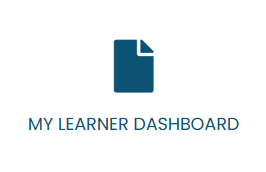
- This will take learners to their Learner Dashboard, where they can find their on-demand products and any upcoming live events that they signed up for through AAPACN under My Courses.
- To find information about AAPACN certifications, learners should select the My Certifications button on the left side of the page.
To further assist learners, AAPACN created the Education FAQs webpage, where there is information on the following:
- General Questions
- Technical Requirements and Troubleshooting
- Live Events
- Final Exams
- Extra Exam Attempts and Appeals
- Certification and Recertification
- Digital Badges
- Content and Curriculum Updates
- Continuing Education
- Returns, Refunds, and Cancellations
- Email Notifications
- Disclaimers
- Workshop Information
If a question can’t be answered via the FAQs, learners can also contact the AAPACN Member Experience Team or call 800.768.1880.
Looking for more information on AAPACN Education? Learn more about our certifications, in-person education, live virtual education, on-demand education, certification workshops, webinars, other products, tools, and guides here.
Updated: April 7, 2026
Originally published Jan. 31, 2025.